Lack of proper SaaS management in your IT department can expose your organization to a number of potential security loopholes and endpoint threats. It becomes difficult for IT departments to take action against these sorts of security gaps in their software ecosystem considering they aren’t even aware of their existence.
And understandably so. How can IT cancel an untrustworthy web app’s permissions to access sensitive data resources if Francis from accounting never told them that she started using the product? Luckily, a powerful SaaS management tool like Torii can help your IT department better manage and keep track of app usage from a central location.
In this article, we’ll take an in-depth look at how you can secure your organization from the threat of shadow IT by taking preemptive action.
Overview of Torii
For those unfamiliar, shadow IT simply refers to any tool, app, or software that’s used in an organization without the knowledge (or approval) of the IT department. It’s a challenge that just about every organization faces to some extent.
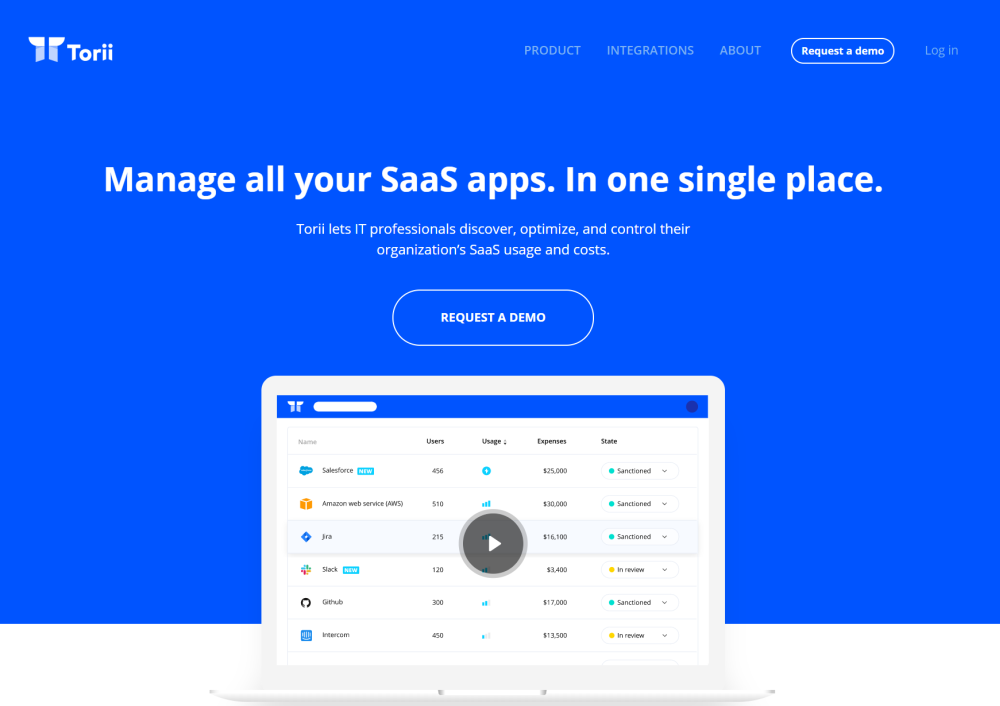
As you can probably guess, some of the most common examples of shadow IT are SaaS apps and services. For example, if an employee signs up for a cloud storage service and decides to store work-related documents in their personal account, IT managers might have no way of knowing that their data has been compromised in case of a breach.
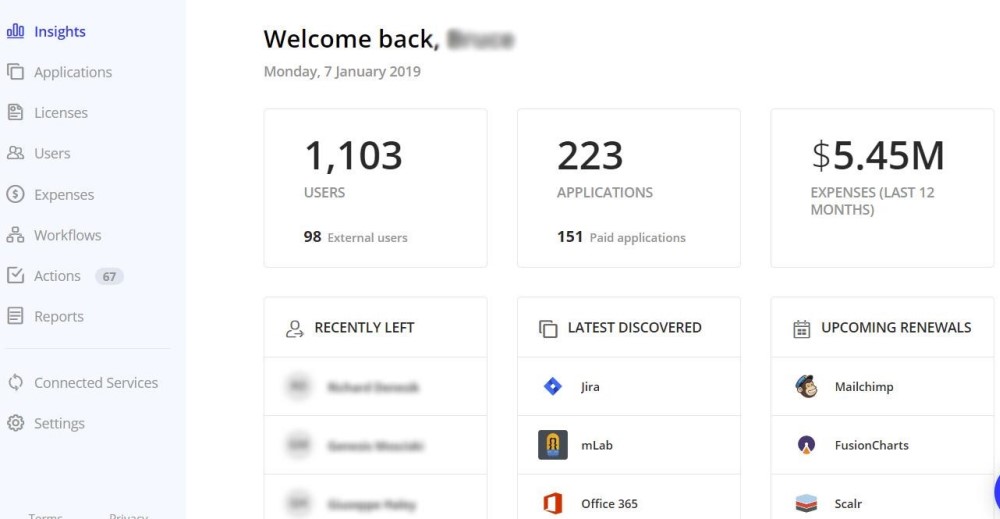
Torii is a standalone SaaS management solution that enables IT managers to view, optimize, and control their organizations’ SaaS resources via a user-friendly dashboard. It’s designed to increase the visibility of apps in the organization’s tech stack, simplify IT management workflows, and help IT managers automate various software management tasks.
Next, we’ll explain how Torii can help you improve cybersecurity in your organization’s software ecosystem.
Cybersecurity Through Better SaaS Management
There are a number of steps, measures, and strategies that can help IT managers secure their organizations from cybercriminals and hackers in order to effectively minimize the risks involved with shadow IT.
1. Risk Analysis
Torii gives you access to data through an intuitive, user-friendly dashboard that makes it easy to manage and execute changes. This enables you to better understand your organization’s app usage and expenditure. There are thousands of SaaS apps available in the market, which can expose your organization to governance, cybersecurity, or compliance issues, or a combination of all three.
But before Torii Tool can reveal the risks associated with each SaaS app in your team’s stack, it needs to know what those apps are. Generating an audit is easy, as Torii is capable of gathering SaaS use signals from a number of sources and turning those into a directory. These sources include browser extensions, data from third-party identity management solutions, accounting apps and even manual uploads of expense reports.
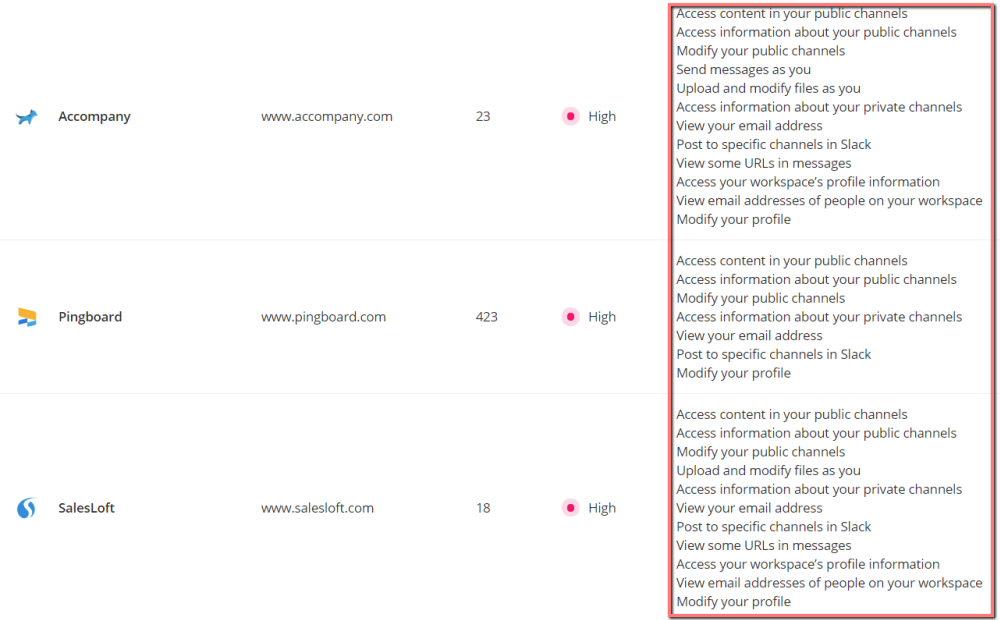
With Torii, you’ll be able to run effective risk analyses in your organization’s software infrastructure and use that information to minimize any security threats.
This is done by assigning risk levels to apps based on the permissions they require from users. Torii maintains an updated database of the SaaS market and is able to automatically assign each app in your organization’s tech stack a risk level (high, medium, or low) based on the app permissions it requires, which you can also easily view in the Risk Analysis reports.
2. Instant Alerts and Automated Workflows
Torii comes with powerful alerts and workflow automation features that enable your IT staff to speed up the SaaS sanctioning process and perform onboarding and offboarding tasks efficiently.
What this means is that every time a new web app is introduced in your software ecosystem, it will instantly be discovered by Torii and an alert will automatically be sent to the IT manager.
IT managers will be able to perform all of these tasks by navigating to the Workflows section from the Torii dashboard. From there, they can choose to use an existing workflow or create their own workflow.
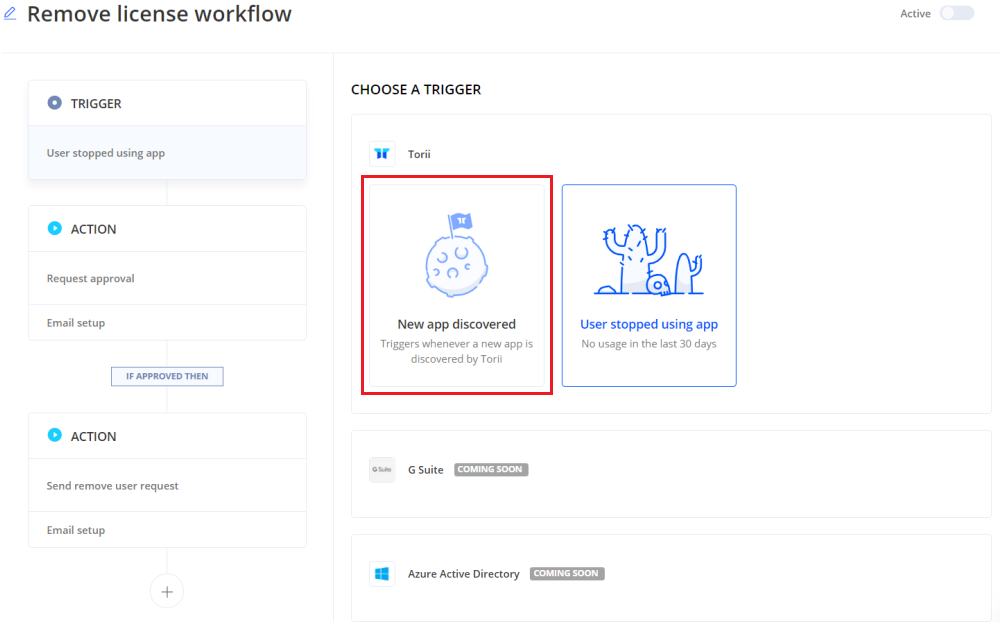
Creating a workflow in Torii Tool only takes a few minutes. You start by choosing a trigger: New app discovered or User stopped using app.
Following our example, if you select the New app discovered trigger to make an onboarding workflow, you can send the app owner (i.e. the employee who signed up for the app) a form that will collect important information about the software.
Creating the onboarding form is as simple as editing the introduction of the form and selecting the details you want to collect from the user. It also lets you choose who you want to share these form submissions with. For example, you might need to file them with the accounts department.
By creating these workflows, you can get instant alerts whenever a new app is discovered by Torii thereby effectively minimizing lag times and increasing cybersecurity within the organization. Shadow IT can’t be eliminated, but by acting quickly, you can mitigate risks.
3. Accountability
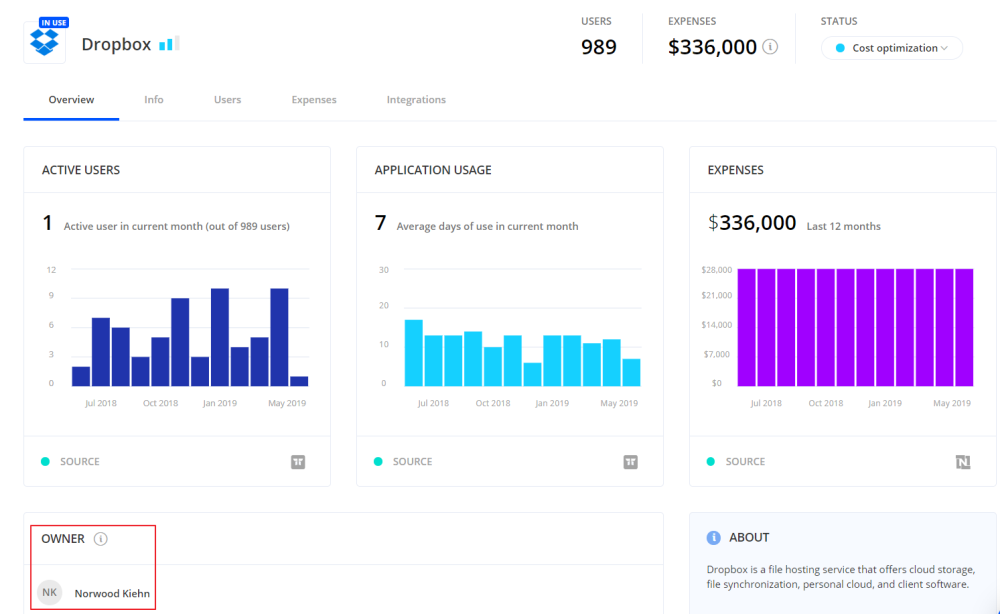
Using Torii, IT managers can easily find out who the owner of each app is by viewing the app icons in the Owner of a section. This makes it easy to have an immediate point of contact in case there’s cause for concern.
So, for example, if an employee installs a potentially dangerous app, the IT department knows exactly who to get in touch with and prevent future incidents.
Taking things to the next level, Torii also lets you cancel a user’s access to an app, either by requesting them to voluntarily cancel their license or forcefully terminate app ownership using the built-in, one-click offboarding tool.
In addition to this, Torii lets you stay updated about each user who gains access to your IT ecosystem by maintaining a complete record of three different types of user accounts. More specifically: current users, past users, and external users.
4. Single Sign-On Solution
SAML 2.0 is a common standard implemented by most SaaS platforms for access and authentication to multiple web apps that use one set of login credentials. In simple terms, it allows employees to log into multiple SaaS apps and tools using one set of credentials (username and password).
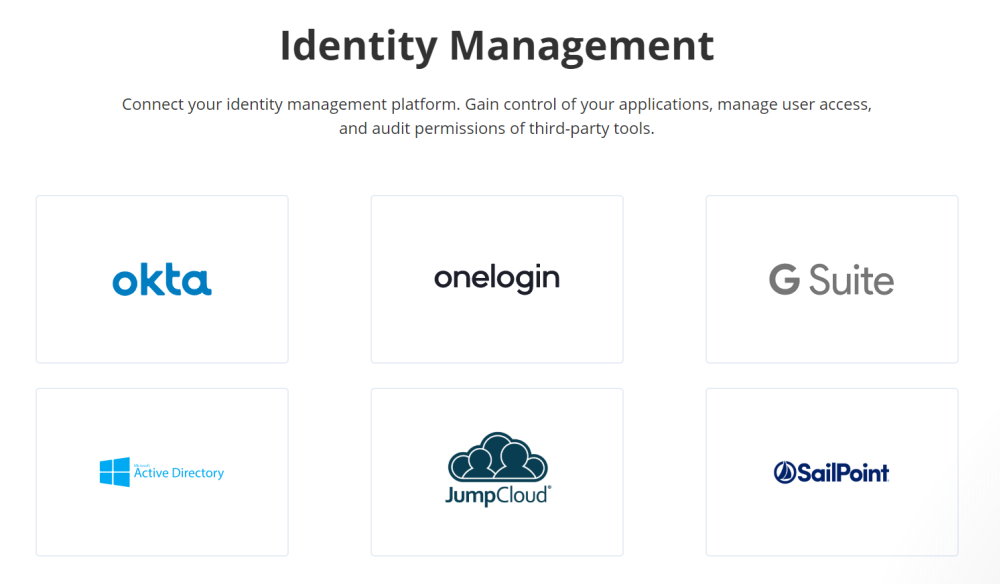
Most SaaS tools let you set up your account access using a Single Sign-On Solution (SSO). You can improve the security and granular control over SaaS app access by connecting more of your SaaS apps to your SSO provider.
Torii lets users connect a number of SSO solutions including JumpCloud, OneLogin, Okta, GSuite, Azure Active Directory, and SailPoint, to better manage user access and audit permissions of third-party tools.
5. SaaS App Permissions
When users in your IT ecosystem sign up for SaaS tools, they’re often required by the SaaS provider to grant permission to access certain databases and track certain activity types. For example, they might ask for access to contacts, your calendars, or permission to read and send emails on your behalf.
This is a common feature in tools such as Slack, GSuite, and Office 365, whenever users are signing up or logging in using the OAuth 2.0 protocol.
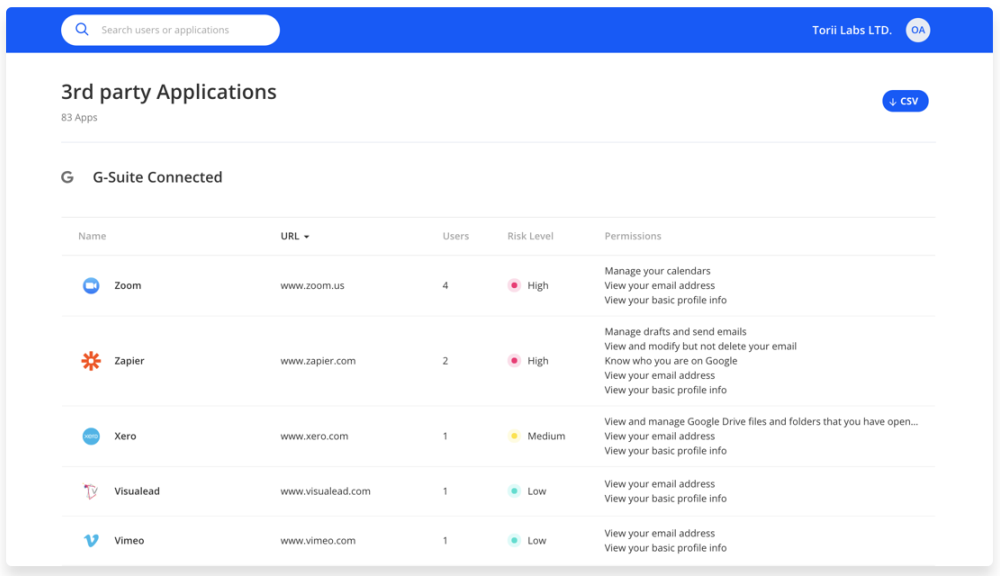
These permissions can leave your organization at risk of being exposed to potential security and regulatory risks. This is precisely why you need access to an updated list of all granted permissions in order to keep your organization’s software ecosystem secure.
Torii’s app access management helps you rest assured that only the relevant people have access to the apps they need. This allows you to keep your sensitive data secure and ensure that you’re implementing privacy guidelines and meeting compliance regulations.
Conclusion
With the increase in SaaS usage by organizations, you need to be proactive when it comes to shielding your IT ecosystem from security gaps and shadow IT. Shadow IT is the hidden threat that can potentially expose your company’s sensitive information and systems to data hacks, while IT managers stay in the dark.
Torii Tool enables IT to run proper audits and risk analyses, get instant alerts, gain visibility into their organization’s tech stack, and automate SaaS management related tasks.