Microsoft introduced the Tamper protection feature in Microsoft Defender ATP earlier this year. It is a new setting to protect against changes to key security features, including limiting changes that are not made directly through the app.
Initially, Microsoft made the feature available only for Windows Insiders and continues testing the feature. The feature was available to Windows Insiders since December 2018.
In March 2019, Microsoft rolled out the full functionality of the feature to Windows Insiders and continues working on the feature.
Tamper protection for all
Starting from today the Tamper protection feature is available for all the Windows 10 users and it can be enabled or disabled from the Windows Security app.
The feature is enabled by default to all home users and for enterprise users, administrators need to enable the feature through Microsoft Intune.
“We’re currently turning on the feature gradually; some customers will start seeing the setting on their devices,” Microsoft said.
The tamper protection feature is aimed to prevent malicious unwanted changes to security settings on devices. According to Microsoft, following are some of the settings that are protected from modification by local admin or malicious apps.
- Disable Real-time protection
- Disable cloud-delivered protection
- Turning off IOAV(protection against attachments)
- Disable Behavior monitoring
- Turn off Security intelligence updates
“The development of this feature is a result of our extensive research into the evolving threat landscape and attack patterns, along with consistent engagement with and feedback from customers and partners,” reads Microsoft blog post.
Enterprise Users
In enterprises, the Tamper protection feature is managed centrally similar to the endpoint settings, the settings need to be enabled through Microsoft Intune.
Once it is enabled by an administrator in Microsoft Intune, it is available to all users.
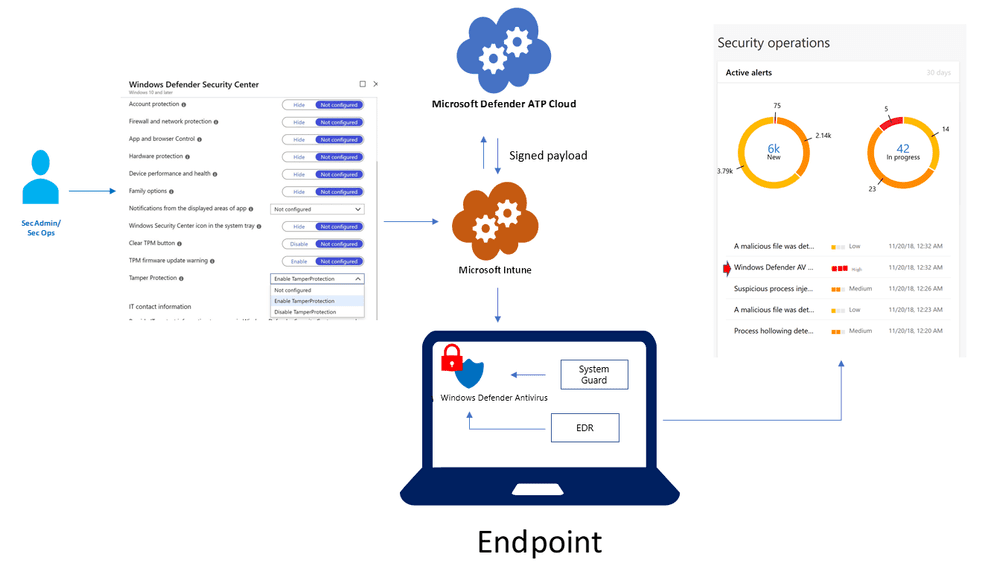
With enterprises, if the user or malicious app attempts tampering n alert is raised in Microsoft Defender Security Center.
Home users
For home users it is enabled by default, Microsoft currently in the process of turning on the feature gradually. The feature can be seen under the Windows Security app.
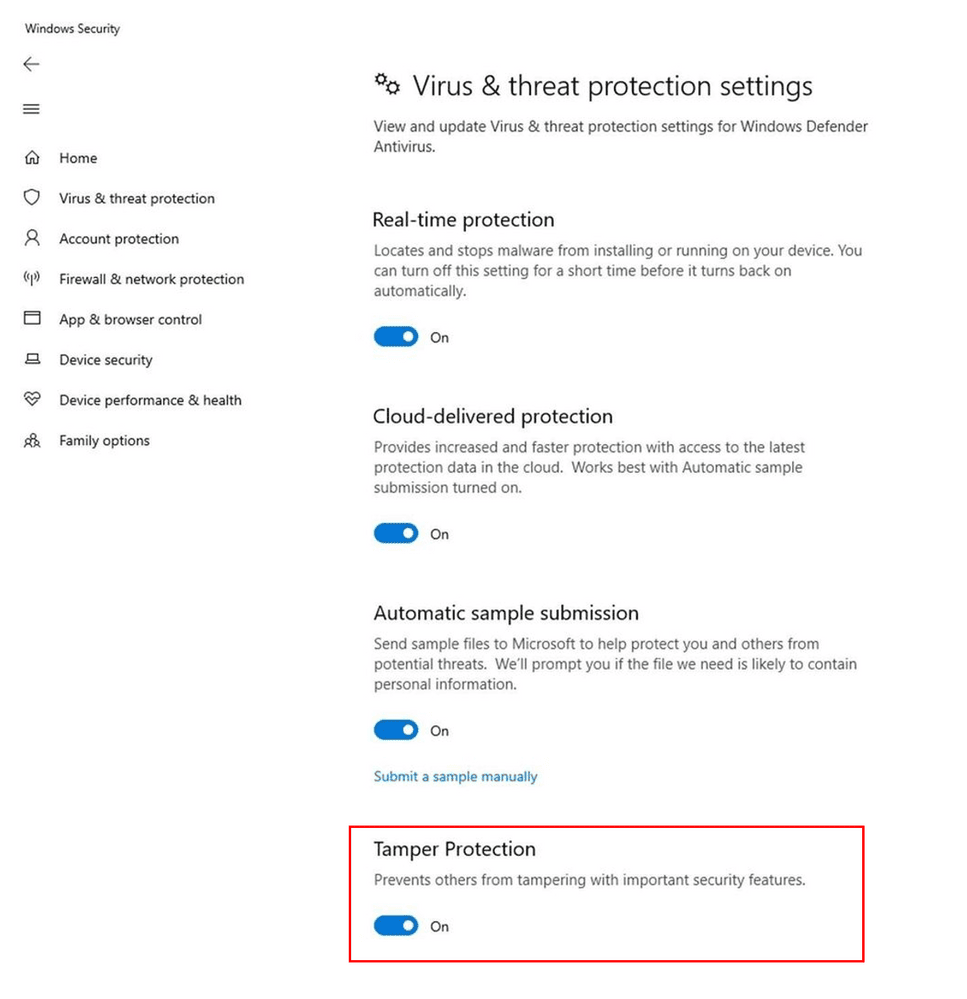
“We believe it’s critical for customers, across home users and commercial customers, to turn on tamper protection to ensure that essential security solutions are not circumvented. We will continue working on this feature, including building support for older Windows versions,” Microsoft said.
You can follow us on Linkedin, Twitter, Facebook for daily Cybersecurity and hacking news updates